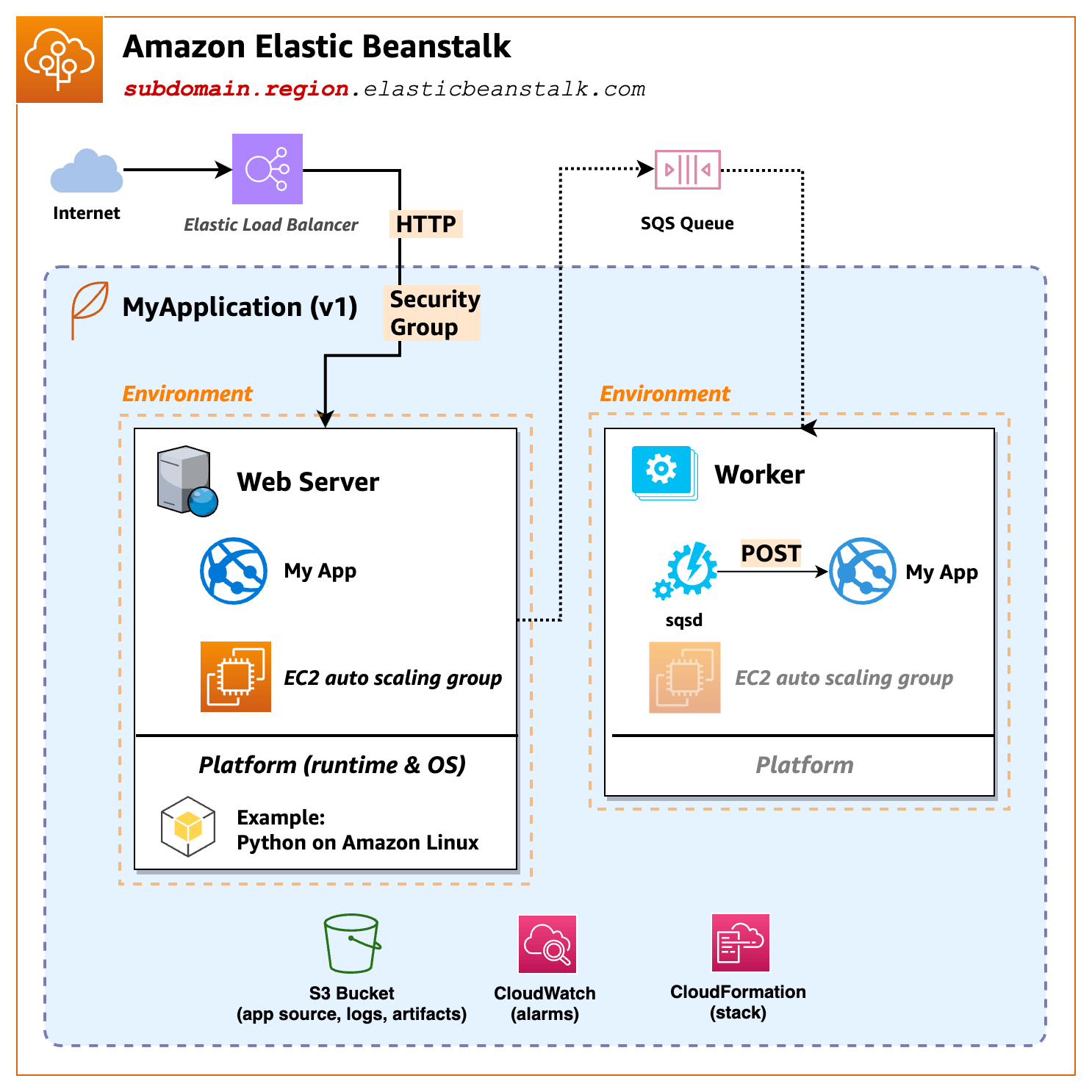
Internet -> Elastic Load Balancer -> EC2 instances
Elastic Beanstalk:
how does a http request from the Internect get response?Route53Elastic Load Balancer,
ELB then forwards the request to EC2sALB Responsibilities
Elastic Load Balancer
decrypts incoming HTTPS (SSL/TLS) traffic then forward plain HTTP to EC2
services.Note
Virtual servers that run your applications in the cloud.
Ensures that you are running your desired number of instances, even if an instance fails. Amazon EC2 Auto Scaling also enables you to automatically increase or decrease the number of instances as the demand on your instances changes. If you enable Auto Scaling with Elastic Load Balancing, instances that are launched by Auto Scaling are automatically registered with the load balancer. Likewise, instances that are terminated by Auto Scaling are automatically de-registered from the load balancer.
Provides a reliable and cost-effective way to route visitors to websites by translating domain names (such as www.example.com) into the numeric IP addresses (such as 192.0.2.1) that computers use to connect to each other. AWS assigns URLs to your resources, such as load balancers. However, you might want a URL that is easy for users to remember. For example, you can map your domain name to a load balancer. For more information, see Routing traffic to an ELB load balancer in the Amazon Route 53 Developer Guide.
You can use AWS WAF with your Application Load Balancer to allow or block requests based on the rules in a web access control list (web ACL). For more information, see AWS WAF.
https://docs.aws.amazon.com/elasticbeanstalk/latest/dg/GettingStarted.html
Platform A platform is a combination of an operating system, programming language runtime, web server, application server, and additional Elastic Beanstalk components. Elastic Beanstalk provides manged platforms, or you can provide your own platform in a container. Elastic Beanstalk supports platforms for different programming languages, application servers, and Docker containers. When you create an environment, you must choose the platform. You can upgrade the platform, but you cannot change the platform for an environment.
Platform used: Docker running on 64bit Amazon Linux 2/4.0.5
To configure service access Next, you need two roles. A service role allows Elastic Beanstalk to monitor your EC2 instances and upgrade you environment’s platform. An EC2 instance profile role permits tasks such as writing logs and interacting with other services.